28 February 2011

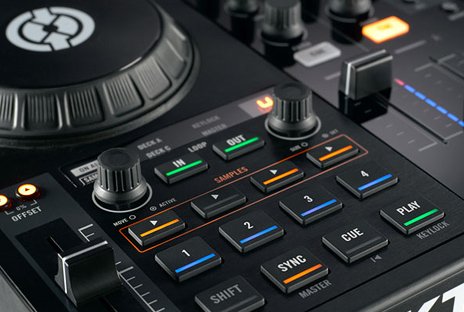
Assigning x-fader on S4


A thing that has bothered me is that A + C and B + D is allocated to each side on the S4. I wanted to override this and remove C and D from the x-fader, but didn't figure out by my self how to do this.

I found the solution at Traktor Bible.

Weekend update

I've been off grid this weekend and I'm here to update you on what's been happening this weekend online about Traktor.

DJ Techtools has a great post about online tutorials for Traktor, and they've listed a couple of nice videos.
Chech it out here

DJ Techtools also did a superb video on how to emulate Scratching using cuepoint juggeling. I take off my hat to Ean who explain his technique on how to do this. Realy enjoyed it and you should deffinetely check it out if you are in to expressing more and are not keen on learning to use a turntable.
Check it out here

DigitalDJTips did a nice feedback to one of their members about how to drop samples in a set with a midi controller (LPD8). They do reffer to KueIT in the article and I've looked at this software before. It's a pretty neat little program, with very low system requirements that you can run on the same computer as Traktor. Fatman Scoop use this software when he perform and it's pretty neat. However... With the new sample banks in Traktor Pro 2 one should be able to have enough samples available, but if not you should check it out.

Comment on the LPD8: The rotary buttons have a realy crapy feel and the buttons override the light feedback so setting up the controller is close to impossible. However the buttons are realy responsive and nice and if you change the rotary buttons it's perfect for dropping loops. I've got two, but wish I'd rather bought more Korg Nanopads...

Read the article here
Go to KueIT


DigitalDJTips also posted a very nice post explaining the intrecate part of key and the aspect of concidering mixing with key in mind. This is a REALY important part of DJing from my perspective. Taking key into concideration when mixing limits your choices, but elevate the quality of you blends to a whole new level. The article they wrote is pretty basic, so read it if you don't know what the term key stands for.
PS: Traktor has an awesome key lock algorithm!
Check it out here

Heads up:
Traktor Bible is working on their Traktor Pro 2 documentation and this will be released shortly after the software ships in April, so if you haven't bought it yet... Go do so. ;)

24 February 2011

Traktor S4 soundcard problems

Is this bad boy giving you a hard time?

Got problems with data drops and crackeling when playing with your Traktor Kontrol S4? Well... I do and I just bought a new computer that's the badest piece of HW out there.
I did alot of looking around online and found this post on the Native Instruments Traktor S4 Forum.

  1. Install the previous Audio 8 DJ driver (2.0.15) and it did increased my performance somewhat!
  2. Made sure to shut down all useless services* (to simply lower the general CPU load)
    1. Check out what Bill and the boys say on the matter.
    2. Do this!
    3. Then do this!
    4. Then do what they do at DJ Techtools
* Remember if you disable services like firewall, windows defender and anti-virus software your computer might be compremised for bad stuff from the world wide web, so turn off the network and be smart about your surfing. STAY SAFE!

23 February 2011

Traktor Virtual MIDI port

I wrote about the Traktor setup with Ableton earlier and since I now have an extra computer I use seperate computers for the different programs and the MIDI sync works perfectly.

Only on Macs... :(
Today I tried setting the system up on one computer like they did in the Dubspot video. However this will not work with a PC!
THE VIRTUAL MIDI PORT IS ONLY AVAILABLE ON MAC!

The solution for PC:
There are some software solutions out there that will help you sync Traktor and Ableton without any cables or hardware.
I've tried MIDI Yoke earlier, but upgrading to Traktor 1.2 I got some major issues with my midi controllers and it's said to have some issues with 64 bit OS aswell so this time I tried LoopBe1 from nerds.de and it worked perfectly.
It's simple and easy to set up and you should try it if you want to integrate both Traktor and Ableton on one computer.

22 February 2011

DJM 900 nexus Official Introduction with James Zabiela


A bit late, but still... This mixer just looks awesome!
There are some new effect. Personally I really enjoy the new reverb effects and the Gate/compression effect is just amazing. The new melodic effect looks like a very interesting effect for those who want to elevate your tracks to a level never before possible.
I haven't been all that excited about Pioneer products the last couple of years, except for the DDJ-T1. I have to admit that the interest for that has faded somewhat as well (Traktor Kontrol S4 is still miles ahead).
The DJM-900 Nexus however looks to be one of the best things that has happened to digital DJing for some time. This will open the gates for digital DJs to enter any club and be able to perform without doing a massive reorganizing of the DJ booth.  Acceptance will be a lot easier now that the market standard (Pioneer) will support digital DJing.

18 February 2011

Using one turntable on four decks in Traktor (Repost)


I looked at some of the "new features" listed in the article by DJTechtools about Traktor Pro 2 and figured I had to repost the videos from one of my earliest posts.

It says in one of the additional features:
  • Multiple decks can now use the same CD or turntable input.
It's possible through the midi mapping to do this in Traktor Pro aswell.

The reason I made the video was to show that it's possible to use one turntable to control any deck in Traktor, but also the posibility of switching between controllerist and turntablist modes very easily. So even with one timecode source (CD or Vinyl) connected to your Traktor system you can easily switch deck or just simply turn the whole timecode off and use the internal playback.

DOWNLOAD MAPPING HERE

Pioneer Nexus is released

The new Pioneer DJM-900 Nexus
The Nexus was realy portrayed in the teaser video as an effects controller, but in fact it was an entire new mixer: The Pioneer DJM-900 Nexus!
This will probably become the new club standard by the end of 2011...

I think it's the best looking mixer they've produced so far.
The best thing is that Pioneer DJM-900 has got Traktor support! It's simply made for DVS systems, but mainly support Traktor. The USB plug is at the top left corner and all you have to do is just bring your laptop, hook it up and start playing. (You don't need a soundcard and you don't have to touch one audio cable!)
It's got a internaly built-in 8 channel/24bit/ 96khz soundcard. You just have to select the source on the channel. The timecode inputs can be routed through the mixer and into any DVS. It's so smooth. Just check the new USB connection status light to see if the connection is complete and you're ready to go.


Not alot of outputs concidering there is an eight channel soundcard in there,
but it's all routed through the mixers master channel. Couldn't be better!

Other notable features:
  • Three new Sound color effects
  • Two new Beat Effect
  • X-pad effect controller
  • Improved faders
  • P-lock fader cap (So you can't pull the faders right off)
  • Midi Output for syncing external units
  • High end A/D converter. (The same 32 bit converters that are in the DJM-2000 mixer.)

Read more at PioneerDJ.com